Connect your OLT to MyOLT
About 15 minutes. You need Winbox on your MikroTik and one login on your OLT — that is all. The panel does the rest (SNMP, model, ports, ONUs).
How the connection works
Your OLT stays private inside your network. Your MikroTik dials out to MyOLT over an encrypted WireGuard tunnel. Through that tunnel the panel reads the OLT (SNMP) and logs in for actions (telnet).
# the path
MyOLT panel  ──WireGuard (encrypted)──►  your MikroTik  ──LAN──►  your OLT 192.168.88.10

# not needed: a public IP on the OLT, port forwarding, or opening anything to the internet
Your values
Type your own addresses once — every command on these pages changes to them, ready to copy. Stays in this browser only.
Step by step
Create your account you · 2 min
Sign up → your own panel opens at
youraccount.billportal.onlineright away. No e-mail to wait for.Paste one script on your MikroTik you · 5 min
In your panel open Connect network. Type your OLT network (
192.168.88.0/24) → Save. Press Copy and paste the script in Winbox → New Terminal. The page turns green by itself when your router connects — no refreshing.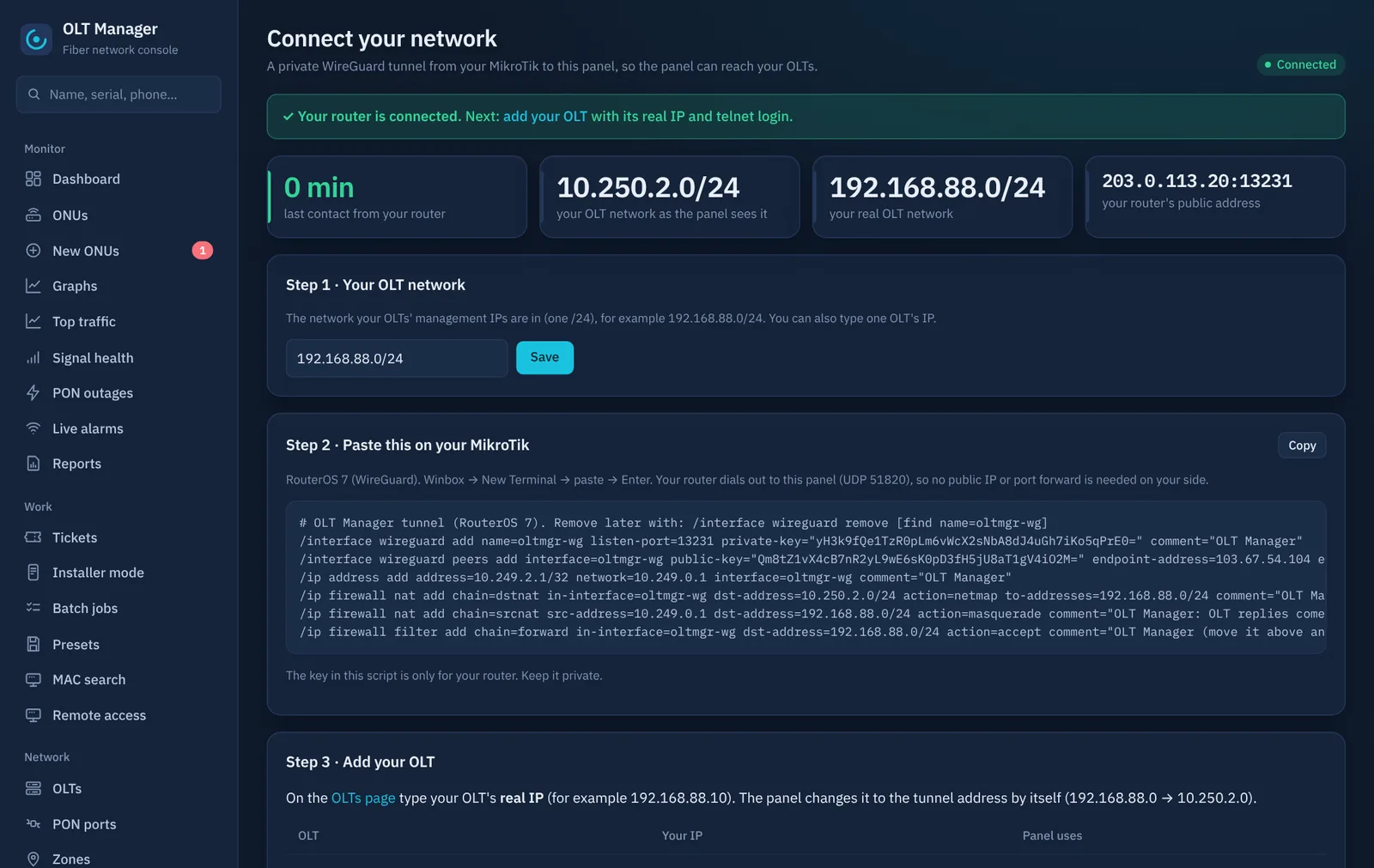
Connect network: your script (with your own keys) and the live status. RouterOS 6 or another router? Use port forwarding instead. Details and troubleshooting: MikroTik tunnel.
Add the OLT — only a login you · 2 min
Panel → OLTs → Add: a name, the OLT's real IP
192.168.88.10, model Detect automatically, and a telnet user and password (myolt01). Leave SNMP empty and keep the box ticked → Save.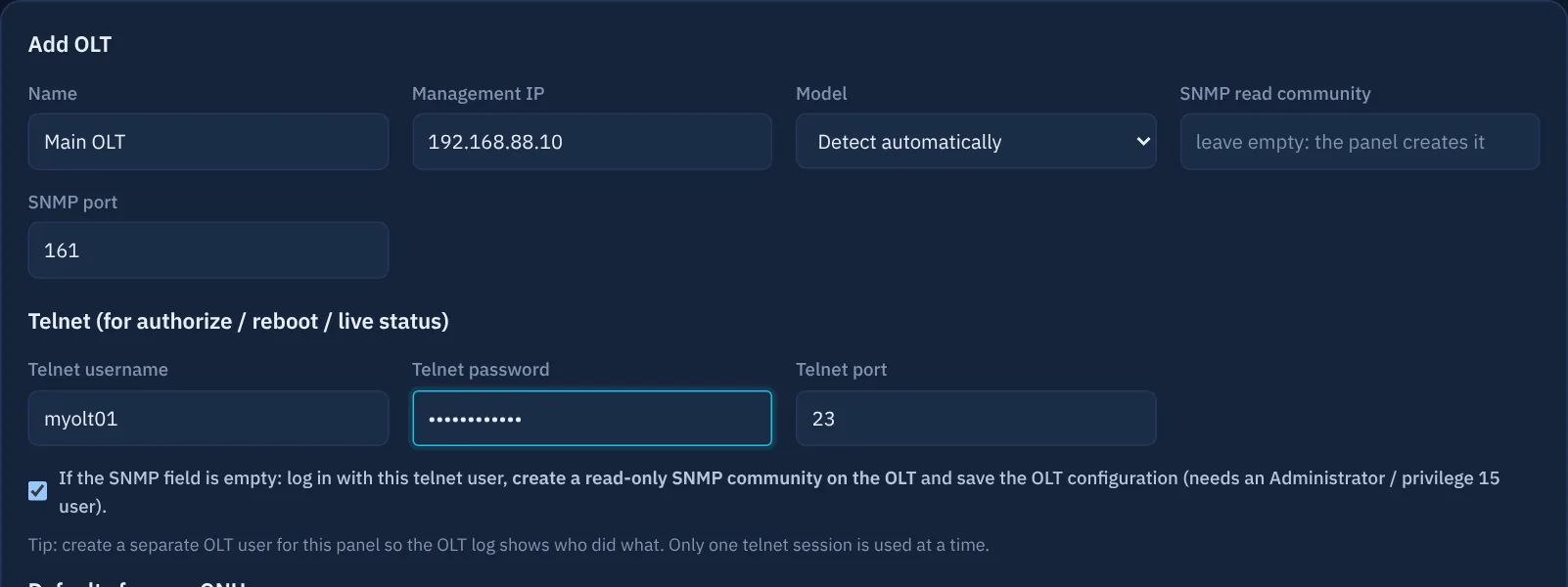
Add OLT: leave SNMP empty — the panel creates it on the OLT. Don't have a user for MyOLT yet? Make one in 1 minute: Huawei · ZTE · V-SOL. Brand-new OLT straight from the box? Start with first setup.
The panel does the rest automatic · 1–5 min
- finds the vendor from the login screen and reads the exact model,
- creates a random read-only SNMP community on the OLT and saves the OLT configuration,
- V-SOL: lets SNMP in from the same address as telnet if the OLT has an access list,
- checks SNMP answers, then imports boards, PON ports and every ONU with status and signal.
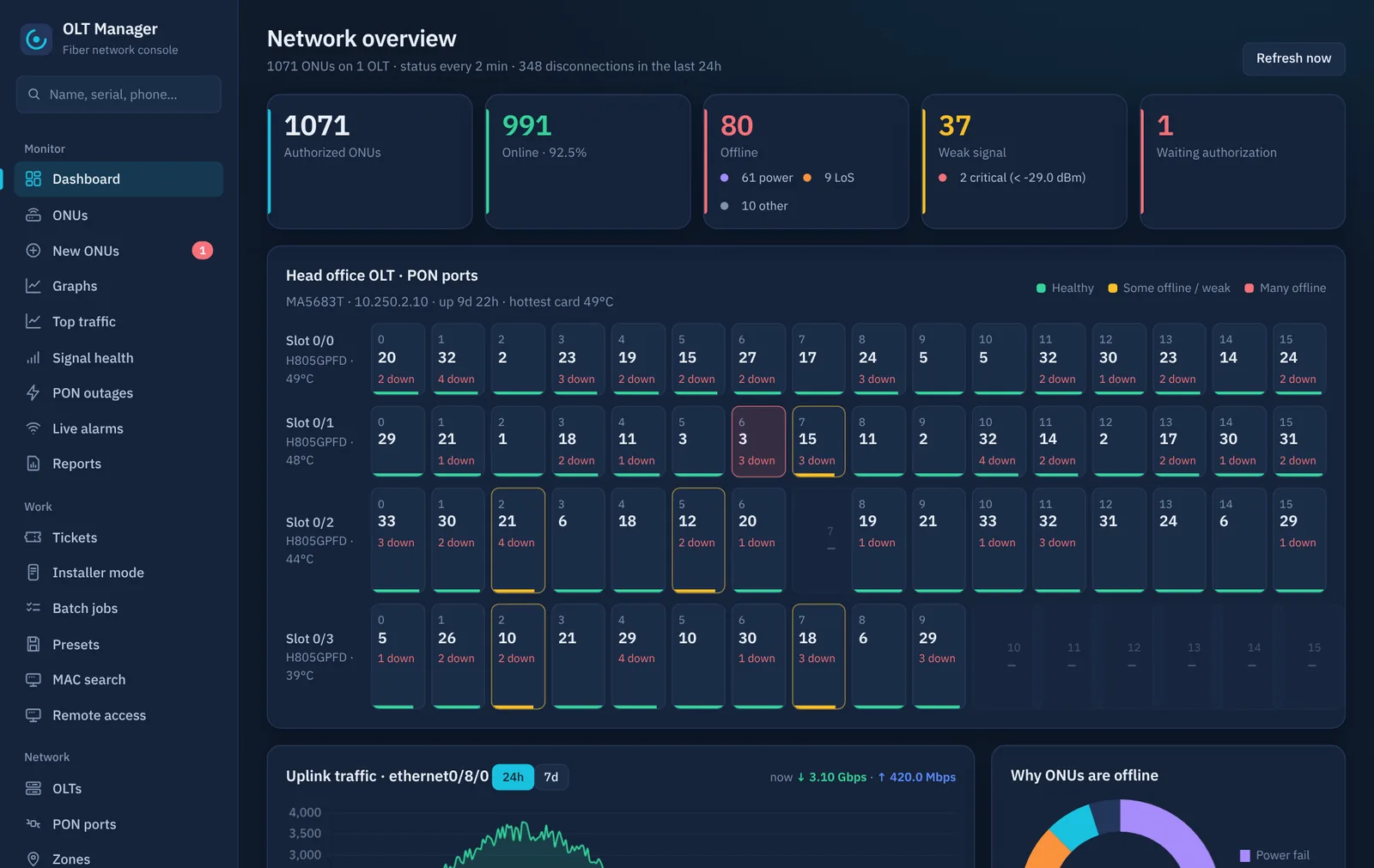
A few minutes later: every ONU with its status, signal and alarms. Last step: OLTs → Import profiles & sync, so the panel knows your VLANs and speed profiles for new ONUs.
(Optional) TR-069 you
For WiFi and PPPoE changes from the panel your ONUs must reach our ACS (
http://103.67.54.104:7547). Open the TR-069 page in your panel; it shows the exact steps for your OLT.
Who does what
| Item | Who |
|---|---|
| Account, panel address, HTTPS | automatic |
| Tunnel keys and your MikroTik script | automatic — you paste it once |
| One telnet user on the OLT (Administrator) | you — or use an existing admin login |
| SNMP community, model, ports, ONU import | automatic |
| V-SOL only: your MikroTik allowed for telnet if the OLT has an access list | you — 1 command |
Stuck? Open a ticket in your panel with a screenshot — see what we need from you.